windows

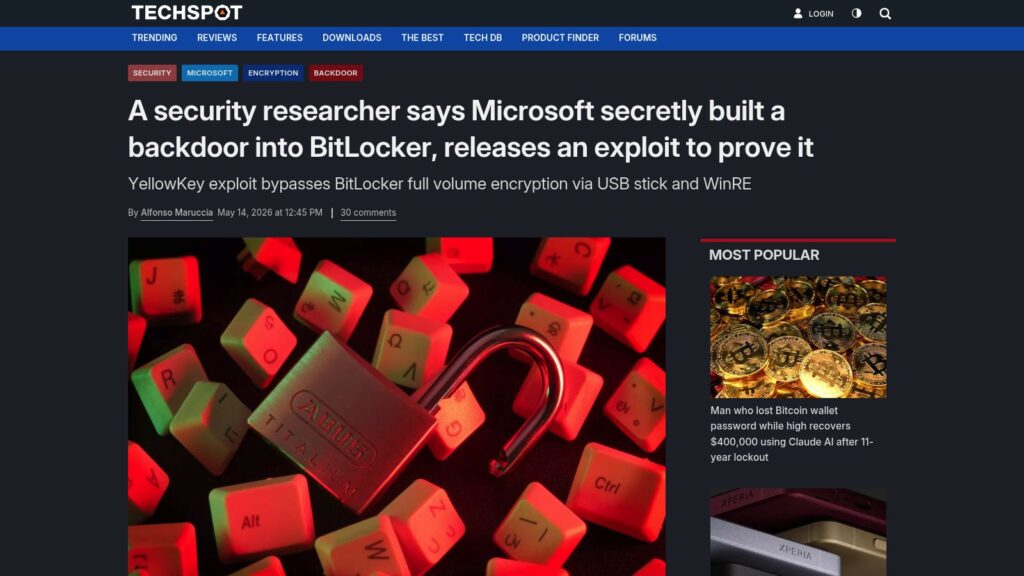
A Security Researcher Says Microsoft Secretly Built a Backdoor Into BitLocker, Releases an Exploit to Prove It

Security researcher “Nightmare-Eclipse” has released an exploit called YellowKey, revealing a vulnerability that allegedly allows bypassing Microsoft's BitLocker full-volume encryption via USB and Windows Recovery Environment. The researcher claims this flaw may be an intentional backdoor built into BitLocker on Windows 11 and newer, as it involves components only found in official Microsoft recovery images, granting attackers unrestricted access to encrypted data without passwords. Third parties have confirmed the exploit's functionality, while mitigations include using alternative encryption solutions like VeraCrypt.

https://www.techspot.com/news/112410-security-researcher-microsoft-secretly-built-backdoor-bitlocker-releases.html

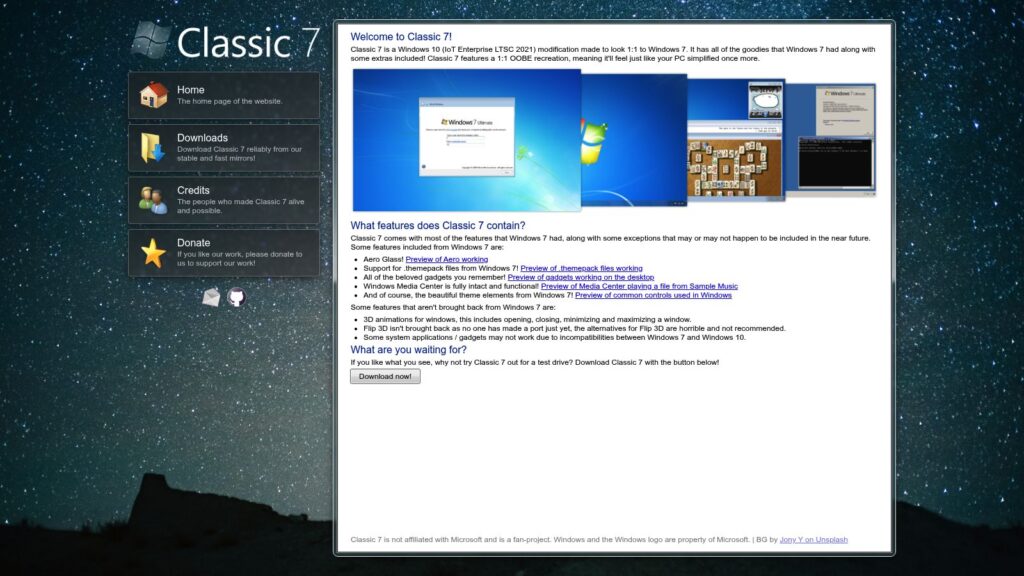
Classic 7 — Your PC, Resimplified.

Classic 7 is a Windows 10 (IoT Enterprise LTSC 2021) modification designed to replicate the look and feel of Windows 7 exactly, including features like Aero Glass, support for .themepack files, gadgets, and Windows Media Center. While it restores many beloved Windows 7 elements, some features such as 3D window animations and Flip 3D are not included due to technical limitations. The project is a fan-made initiative and is available for download for users who want a classic Windows experience on newer systems.

https://classic7.lol/

Wine 11 Rewrites How Linux Runs Windows Games at the Kernel Level, and the Speed Gains Are Massive

Wine 11 introduces a major rewrite in how Linux handles Windows game synchronization by implementing the new NTSYNC kernel driver, which replaces inefficient user-space workarounds like esync and fsync with kernel-level synchronization, resulting in massive performance improvements. Additionally, Wine 11 completes the WoW64 architecture for seamless 32-bit and even 16-bit application support on 64-bit systems, enhances Wayland compatibility, and includes numerous fixes and improvements that together represent the most significant advancement in Linux gaming via Wine since the emergence of Proton.

https://www.xda-developers.com/wine-11-rewrites-linux-runs-windows-games-speed-gains/

Microsoft’s “Fix” for Windows 11: Flowers After the Beating

Microsoft's recent announcement of a 7-point plan to “fix” Windows 11 is criticized as an insufficient response to years of user dissatisfaction caused by forced AI integrations, pervasive ads, mandatory Microsoft accounts, invasive data collection, and forced OneDrive syncing that harmed user control and privacy. While Microsoft promises to remove some visible annoyances like unmovable Copilot buttons and ads, it does not address deeper issues such as telemetry that cannot be fully disabled, forced cloud account usage, and aggressive data harvesting, leaving many of the more intrusive and privacy-hostile practices intact.

https://www.sambent.com/microsofts-plan-to-fix-windows-11-is-gaslighting/

Microsoft Quietly Scraps Plans to Bring Copilot to Notifications and Settings on Windows 11 as It Moves to Reduce AI Bloat Across the OS

Microsoft has quietly scrapped its plans to integrate Copilot AI features into Windows 11's notifications and Settings app, scaling back its original vision of an AI assistant embedded across the OS. Instead, Microsoft is adopting a more measured approach by reducing AI bloat, delivering AI capabilities without the Copilot branding, and focusing on making AI features optional and less intrusive in system apps.

https://www.windowscentral.com/microsoft/windows-11/microsoft-quietly-scraps-plans-to-bring-copilot-to-notifications-and-settings-on-windows-11-as-it-moves-to-reduce-ai-bloat-across-the-os

A New California Law Says All Operating Systems, Including Linux, Need to Have Some Form of Age Verification at Account Setup

California mandates operating systems, including Linux, implement age verification during account setup by January 2027, requiring users to disclose age-related data. Compliance concerns emerge, especially regarding enforcement and privacy implications.

https://www.pcgamer.com/software/operating-systems/a-new-california-law-says-all-operating-systems-including-linux-need-to-have-some-form-of-age-verification-at-account-setup/

Bogdan’s Blog

TLDR: The author switched from Windows to Linux after two decades due to frustrations with Microsoft's intrusive updates, ads, and bugs. Key issues included forced updates that caused system instability and unnecessary features. After trying Linux and facing challenges, they found it ultimately more reliable and user-friendly for their needs, especially in software development and content creation, despite some limitations in gaming and 3D modeling. They criticize Microsoft's evolving practices as detrimental to user experience.

https://www.himthe.dev/blog/microsoft-to-linux

Everyone Hates OneDrive, Microsoft’s Cloud App That Steals Then Deletes All Your Files

OneDrive, Microsoft's cloud storage, is criticized for stealthily uploading and deleting user files without clear warnings, leading to user panic. When attempting to manage files, users may inadvertently erase data from their own computers. This deceptive design has been likened to a ransomware attack, complicating file management and control. Users are advised to consider alternative operating systems for better data security.

https://boingboing.net/2026/01/05/everyone-hates-onedrive-microsofts-cloud-app-that-steals-then-deletes-all-your-files.html

Speed Test Pits Six Generations of Windows Against Each Other — Windows 11 Placed Dead Last Across Most Benchmarks, 8.1 Emerges as Unexpected Winner in This Unscientific Comparison

Windows 11 ranked lowest in a recent speed test comparing six Windows generations, with Windows 8.1 unexpectedly performing best. Factors for Windows 11's poor performance include higher system demands and UI issues.

https://www.tomshardware.com/software/windows/speed-test-pits-six-generations-of-windows-against-each-other-windows-11-placed-dead-last-across-most-benchmarks-8-1-emerges-as-unexpected-winner-in-this-unscientific-comparison

This Is the Best Package Manager for Windows You’re Not Using

UniGetUI is a new, user-friendly package manager for Windows that combines several existing package managers (like Winget and Chocolatey) into a single interface. It simplifies app installations, updates, and management, allowing users to search and install software across multiple sources without command-line usage. Key features include bulk installations, background update checks, and the ability to create and share app bundles. UniGetUI is free, open-source, and aims to streamline the often frustrating app management experience on Windows.

https://www.makeuseof.com/best-package-manager-for-windows/

10 Hacks Every Windows Power User Should Know

TLDR: Ten Windows hacks enhance productivity: 1) Use Command Palette for efficient control; 2) Replace File Explorer with the better Files app; 3) Customize the taskbar/start menu with ExplorerPatcher or Start11; 4) Transform UI with Seelen; 5) Improve dark mode using PowerToys; 6) Utilize Snap layouts for window organization; 7) Streamline app management with Winget or UniGetUI; 8) Access clipboard history with Windows + V; 9) Focus using the Clock app’s Focus Sessions; 10) Create custom keyboard shortcuts via PowerToys.

https://lifehacker.com/tech/best-hacks-for-windows-power-users

These Are the Only Maintenance Tools You’ll Ever Need on Windows — and They Cost $0

Free Windows maintenance tools eliminate clutter, enhance performance, and ensure system health without cost. Key utilities include:

  1. BCUninstaller – Deep deletions of apps.
  2. BleachBit – Cleans system files, enhancing speed.
  3. WizTree – Quickly analyzes disk usage.
  4. CrystalDiskInfo – Monitors drive health.
  5. Snappy Driver Installer Origin – Updates drivers offline.
  6. Duplicati – Sets up encrypted backups.
  7. Sysinternals Suite – Advanced diagnostics for system issues.

These tools provide essential functionalities, saving costs and offering efficient computer maintenance.

https://www.makeuseof.com/only-maintenance-tools-youll-ever-need-on-windows-they-cost-0/

Windows Drive Letters Are Not Limited to A-Z

Windows drive letters aren't restricted to A-Z; the subst command allows creation of aliases like +:. Drive letters function as symbolic links within the NT namespace, with paths converted by certain APIs. While alternatives exist for drive letters, applications like File Explorer and PowerShell only recognize A-Z letters, limiting usability. Non-ASCII drive letters are technically possible, yet may yield inconsistent behavior across different applications and APIs, leading to potential encoding issues.

https://www.ryanliptak.com/blog/windows-drive-letters-are-not-limited-to-a-z/

How to Declutter, Quiet Down, and Take the AI Out of Windows 11 25H2

TLDR: Detailed guide for decluttering and optimizing Windows 11 25H2 setup, emphasizing avoiding Microsoft account sign-in, disabling telemetry, and cleaning up pre-installed apps and Edge settings. Focus on user-friendly approaches for a minimalist experience while retaining essential functionalities.

https://arstechnica.com/gadgets/2025/11/what-i-do-to-clean-up-a-clean-install-of-windows-11-23h2-and-edge/

Scroll to Top